Microsoft Graph Service
The Microsoft Graph Service connects B2Win Suite to Microsoft 365 APIs, enabling integration with SharePoint, OneDrive, and other Microsoft services. It is used by nodes such as the Copy File (Sharepoint), Read File (Sharepoint), and File Listener (Sharepoint).
Setup Steps
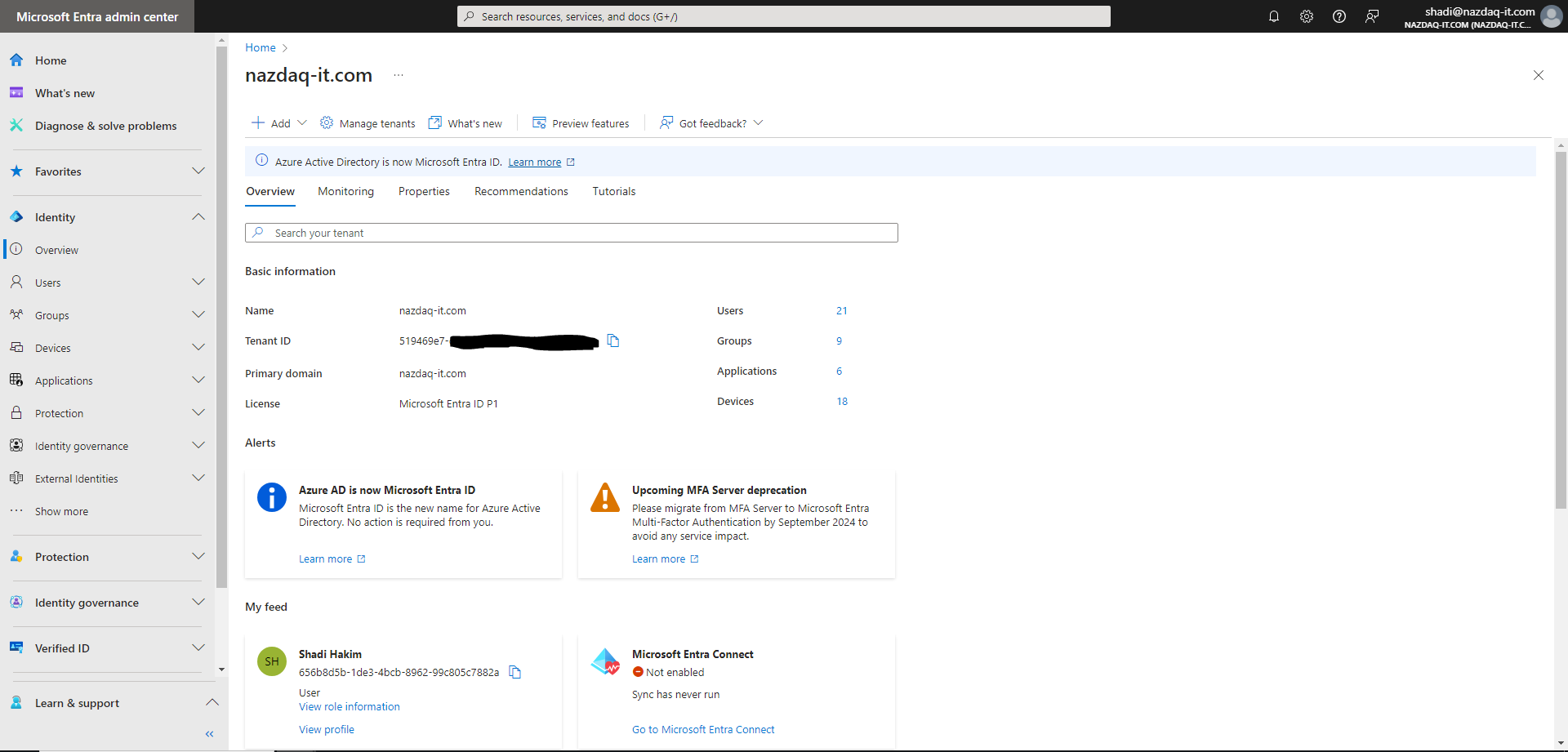
1. Get Tenant ID
Go to Microsoft Entra - Tenant Overview.
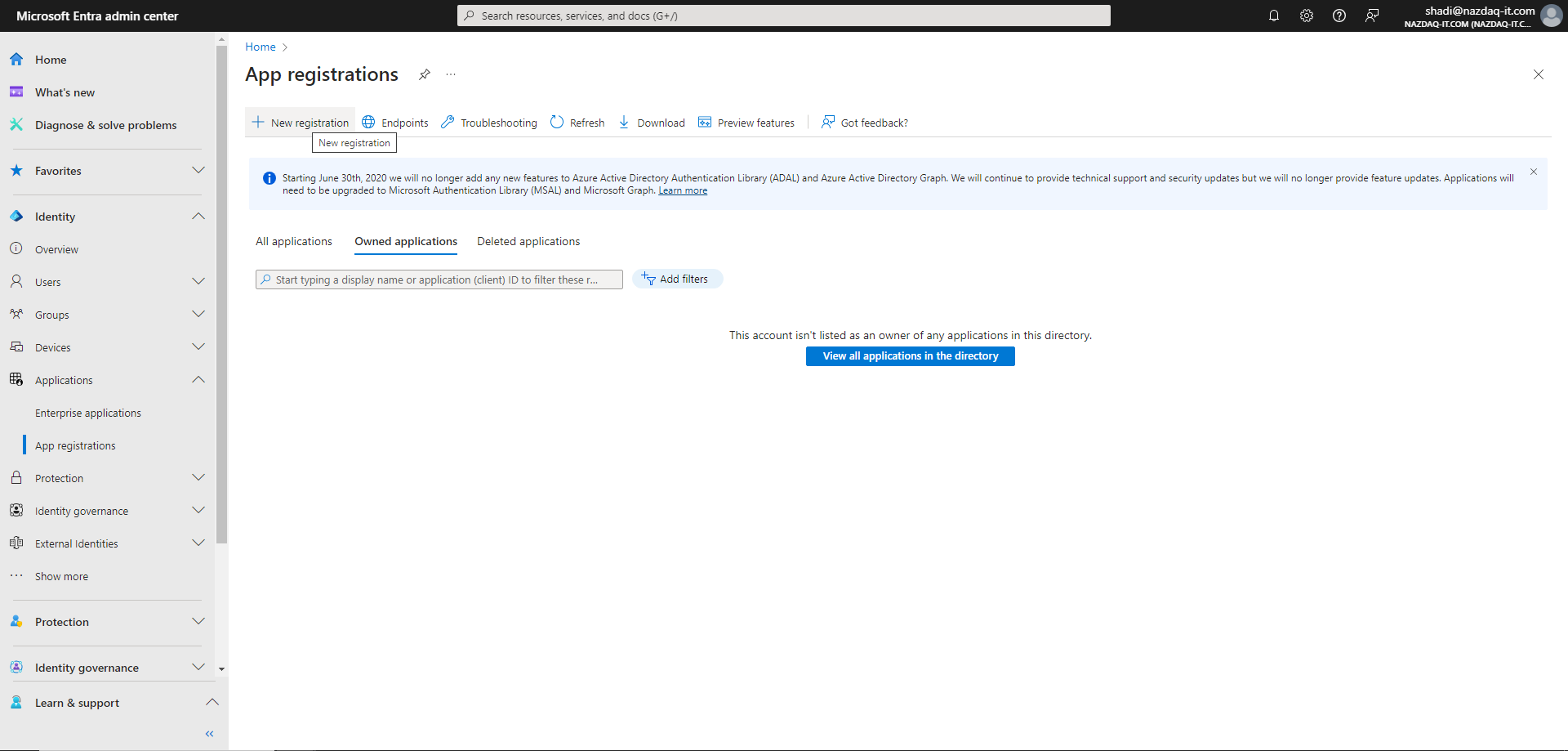
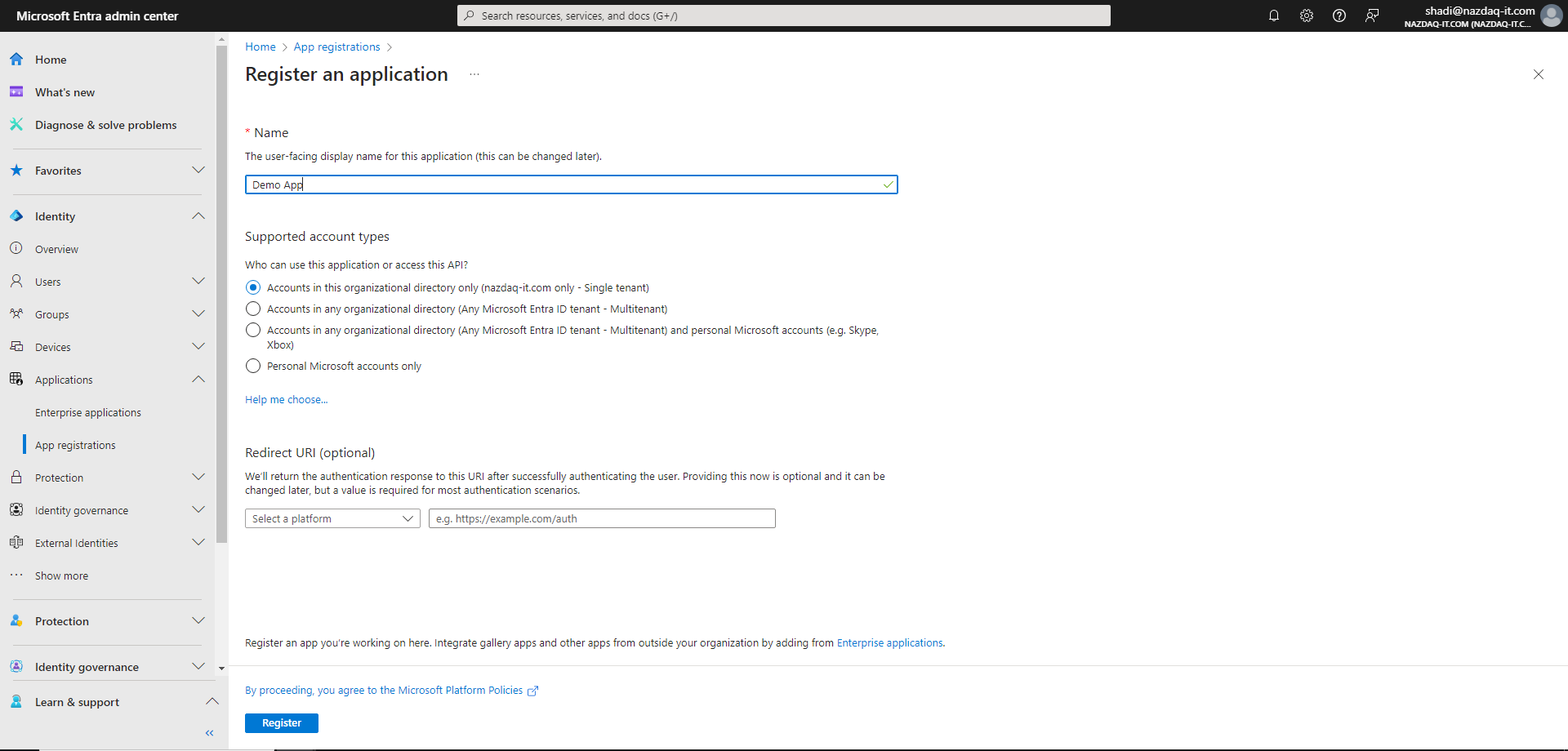
2. Register App
Go to App Registrations.
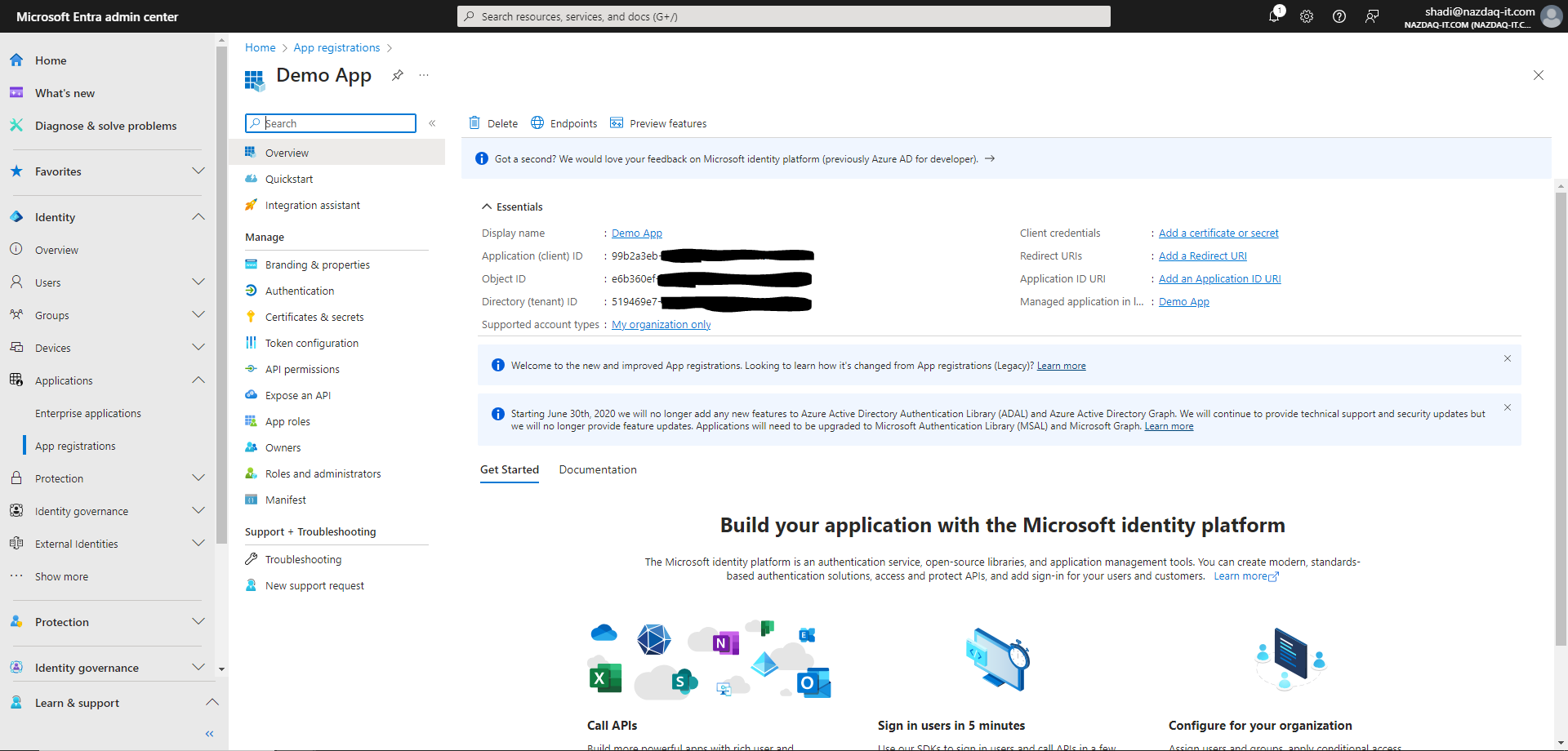
Copy the Application (client) ID:
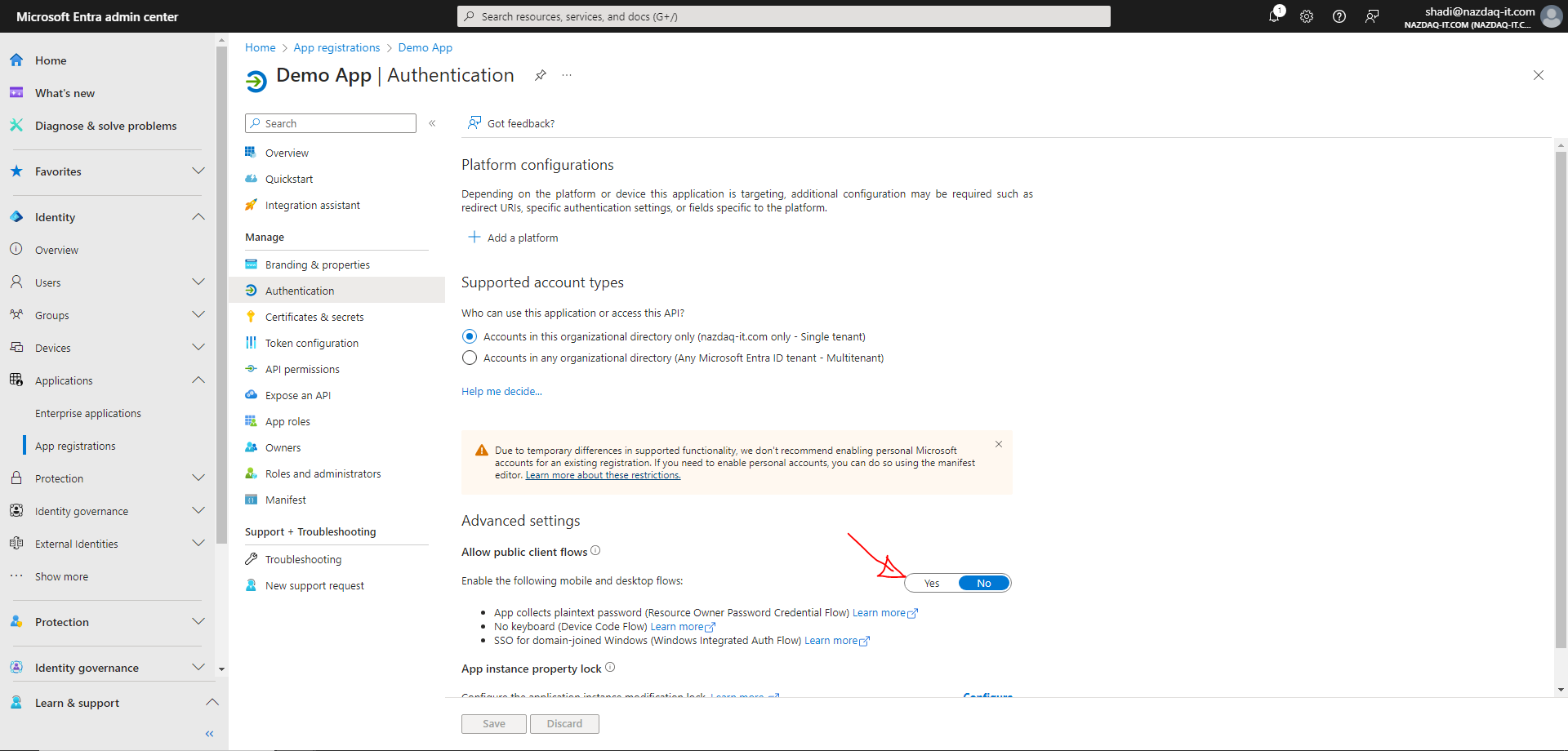
3. Configure Authentication
Authentication tab - Set "Allow public client flows" to Yes.
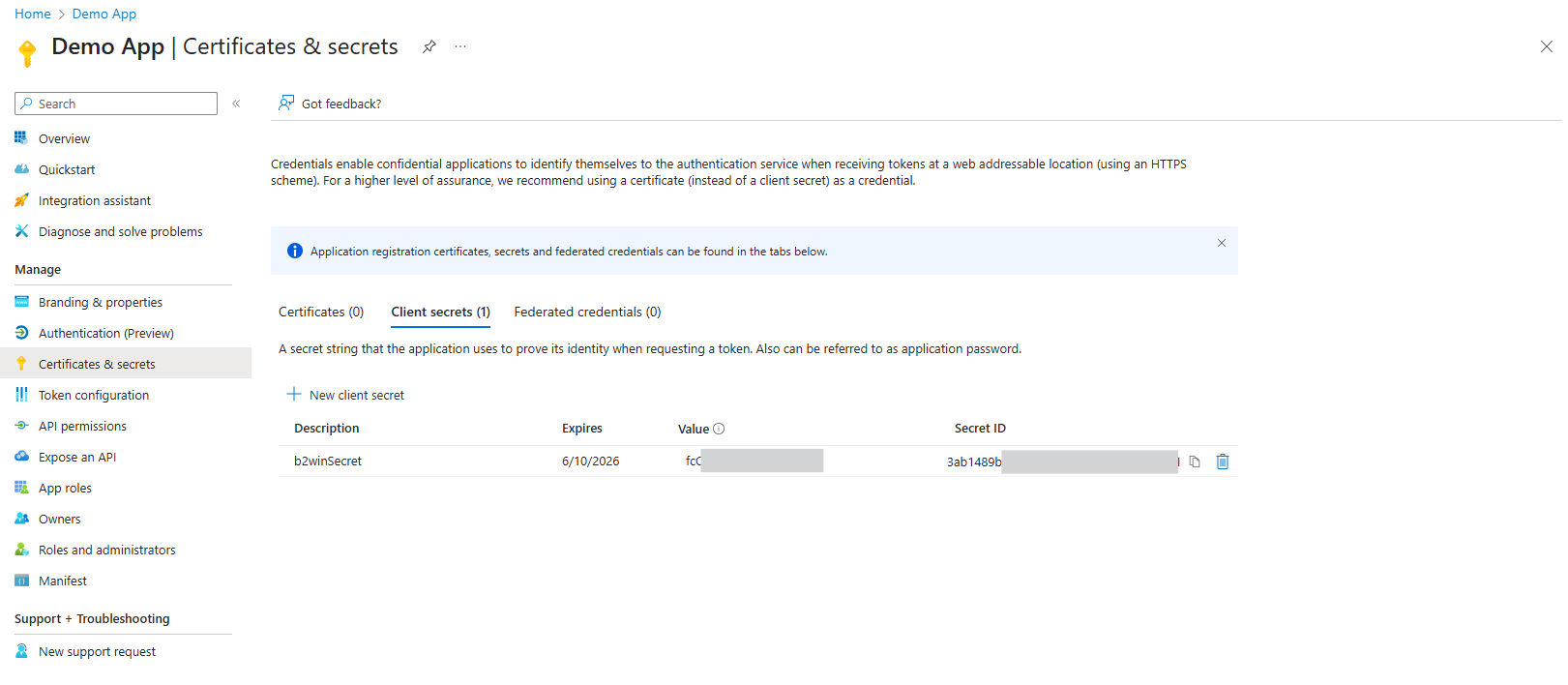
Certificates & secrets - Create a client secret. Copy it immediately (you can't see it again).
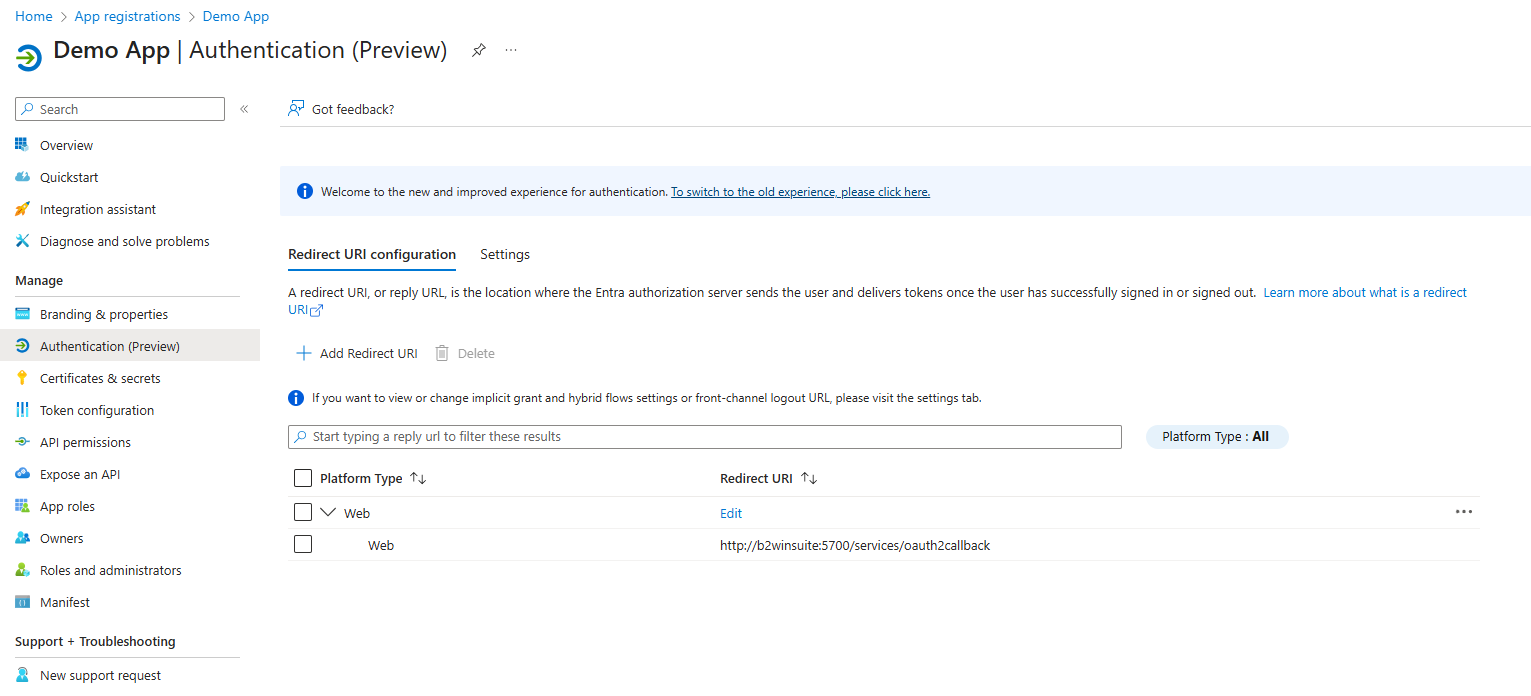
Redirect URI - Add your B2Win Suite URL + /services/oauth2callback
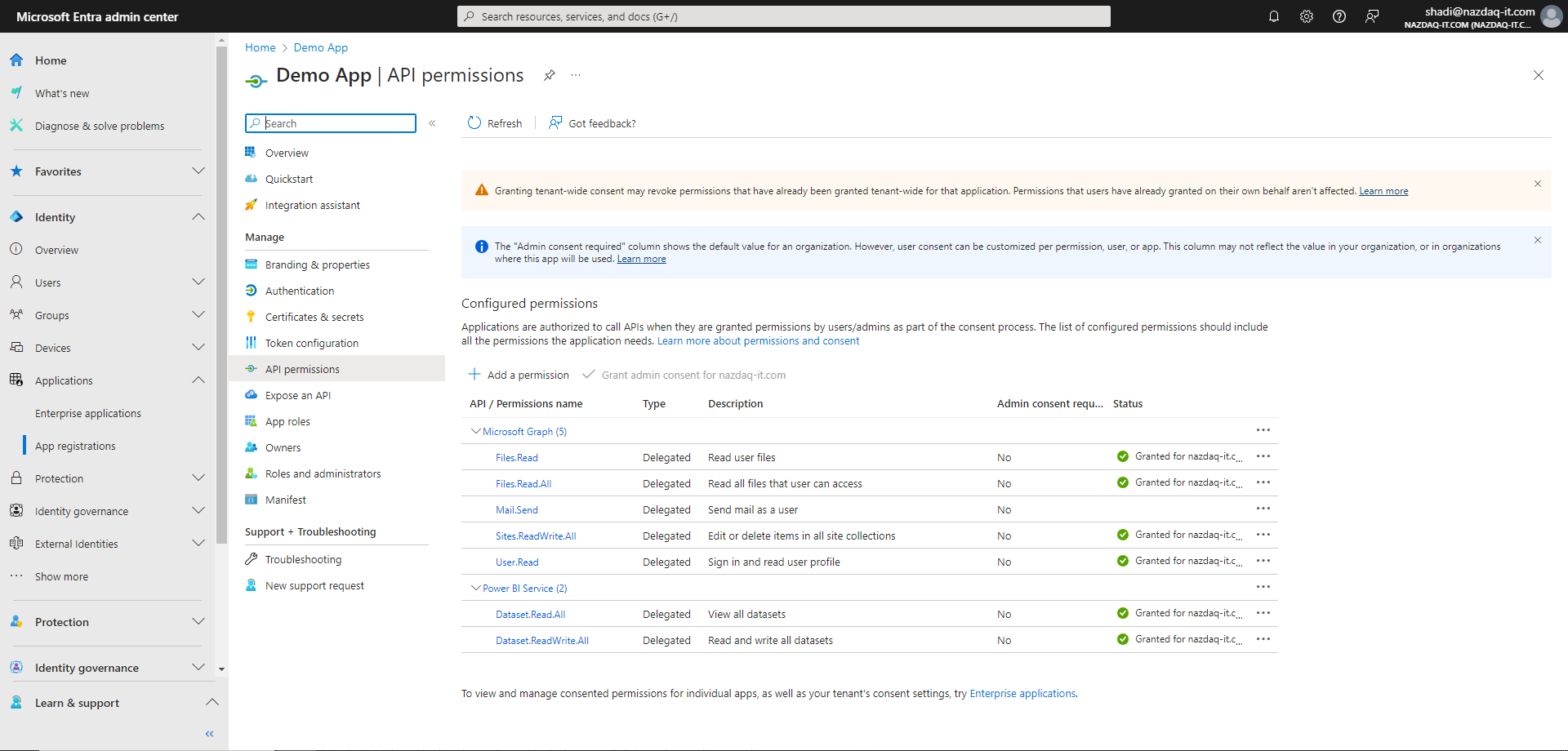
API permissions - Add required permissions and grant admin consent.
Configure in B2Win Suite
Go to Configurations > Services and open the Microsoft Graph service. Enter the values you collected in the previous steps:
- Tenant ID — from step 1
- App Client ID — from step 2
- App Client Secret — from step 3
Then click Authorize and complete the authentication flow in the browser.
See Services Configuration for admin options such as field permissions and override policies, or My Services if you are configuring this as a user.
Usage
Once configured, this service can be selected in the following nodes:
- Copy File (SharePoint) — upload files to SharePoint or OneDrive.
- Read File (SharePoint) — retrieve files from SharePoint or OneDrive.
- File Listener (SharePoint) — trigger a workflow when a file arrives in a SharePoint folder.
Troubleshooting
- Check redirect URIs are correct
- Confirm admin consent was granted
- Verify client secret hasn't expired
- Double-check Tenant ID and Application ID