Workflow Permissions
-
Permissions - Manage workflow permissions, choose which groups or users are allowed/denied to use the workflow, and the way they use it.
-
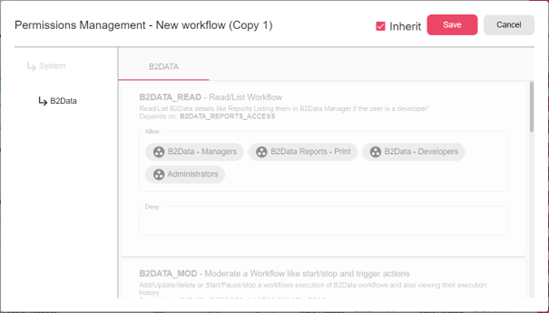
Inherit - Use the system default permissions for the specific group of permissions, for instance, in the provided figure the permissions are inherited from the B2Data system default (the permissions are locked when inherit is checked).
When unchecked, the user may edit and choose which groups or users are allowed to use the workflow from the list (or typing).
Permission dialog:
For example:
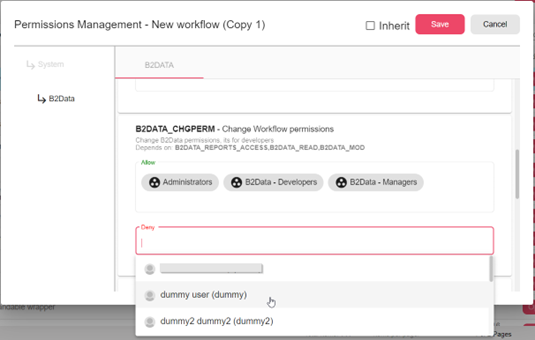
Deny - Picking “dummy user” will prevent them from “B2DATA_CHGPERM”, which means in this case “dummy user” cannot change permissions for this specific workflow. If a group was picked, all of its members will be prevented (same applies for Allow permission)
-