Get Link
In case you want to have access to run your B2Data report directly from another application, B2Data gives you the option to create a link easily for your report.
The link will run the B2Data report when it's copied to your browser and activated manually or by any other application. When the link is activated, the B2Data report will run in B2Win Suite according to your configuration when you generated the link.
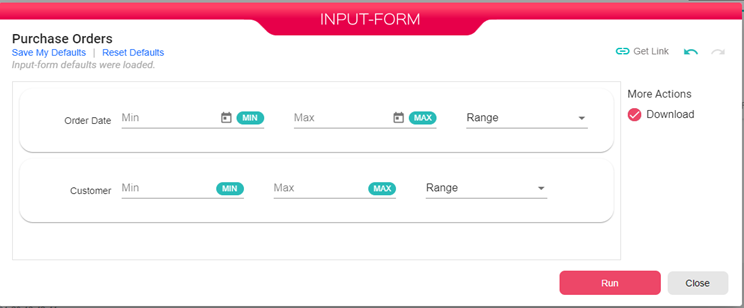
In order to generate a link, you need to click on Get Link in your report Input Form.
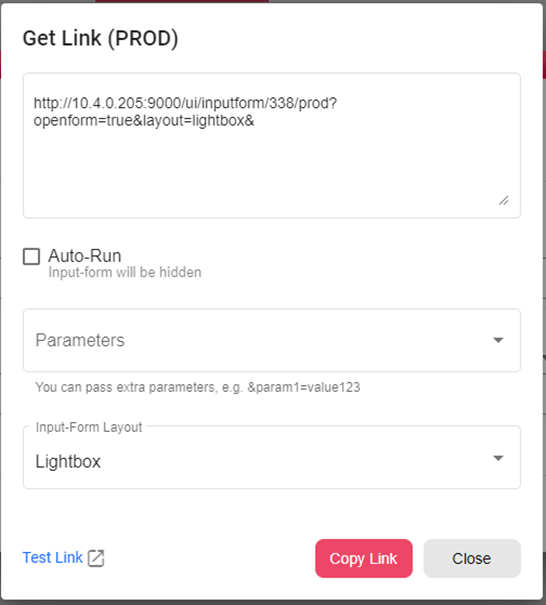
Auto-Run - When checked then when running the link the Input Form will be hidden.
Parameters - Contains all Input Form fields, allows the user to choose which fields he needs to pass their values in the link.
Input-Form Layout – Lightbox\Embedded
Test Link - Will run the link in a new tab.
Copy Link - Copy the link to be used in another application.