CustomScript
In case you would like to have a special function performed on your data, you can use this node to write your own script. This node accepts input of two types, a file or data.
Helpful tips for writing your own script:
-
Use ctrl+space for autocomplete
-
Write util to get all function groups, pick one and then add dot to get all functions supported in the group you selected.
Following are all function groups currently supported:
- DbUtil
- MapUtil
- FileUtil
- HttpUtil
- JsonUtil
- ArrayUtils
- StateUtil
- RandomUtil
- HashingUtil
- InstantUtil
- NumericUtil
- MessagesUtil
- LocalDateUtil
- LocalTimeUtil
- CompressionUtil
- GeneralDateUtil
- LocalDateTimeUtil
-
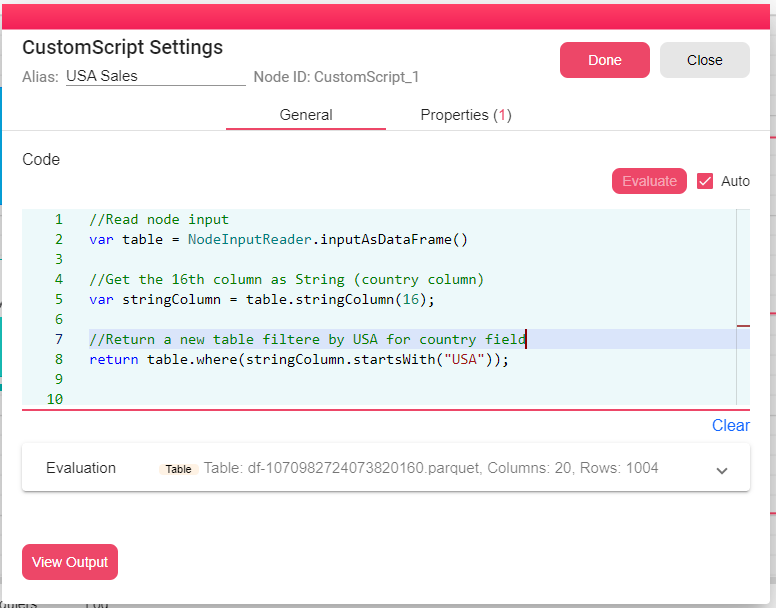
Use NodeInputReader to get the nodes input object.
The following example, filters the input DataFrame by column country, returns a new table with records from the input table where country is "USA".
You can find a more detailed documentation in Scripting Documentation.