DB Connections
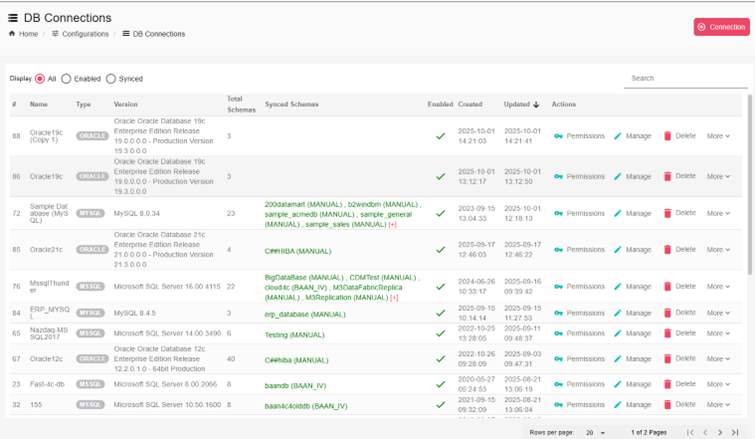
In the Suite you can connect to an External Database source, and prepare this connection to be used inside B2Data Builder or in DB Variables in B2Output, to manage these connections go to: Configurations -> DB Connections and you can see a similar list to this:
Create new connection
You can create a new connection by clicking on the New Connection button and a dialog will be displayed like this:
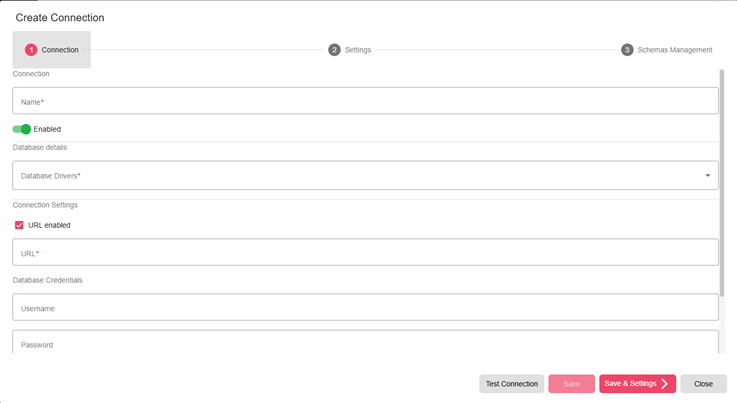
You need to add the required fields and then click on Save & Settings to go to the next step where you can set some special settings for the DB Connection and then click on the Schemas Management. Sync schemas to get all schemas in this DB and then you can select the ones you need in order to sync, so that it would be ready for use in B2Data Builder:
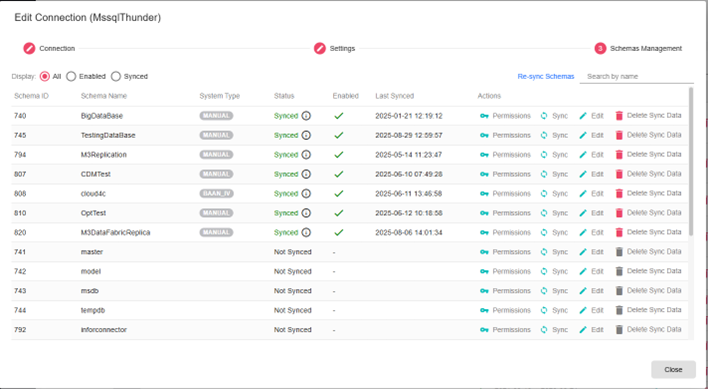
Select the schema you want to sync and click on sync button, the syncing will take a while to finish please wait patiently, you can also track the progress of the syncing process from this dialog.