Email Groups
E-Mail groups and contacts is where you can add email groups with a list of emails to be used when sending B2Win reports after conversion. It's not too complex, you have a group and inside the group you can have multiple contacts, each contact has a name and an email. Groups can also be saved per company in order to ease the filtering process when browsing to select one.
List Groups
To access the list of E-Mail groups, on the sidebar click on E-Mail Groups and you will be directed to the list of groups you have in the system

Add/Edit Group
To add a new group, click on the top button Add Group inside the Groups list, and fill in a group name and description and click on Create.
After you created the group you will be directed to the page:
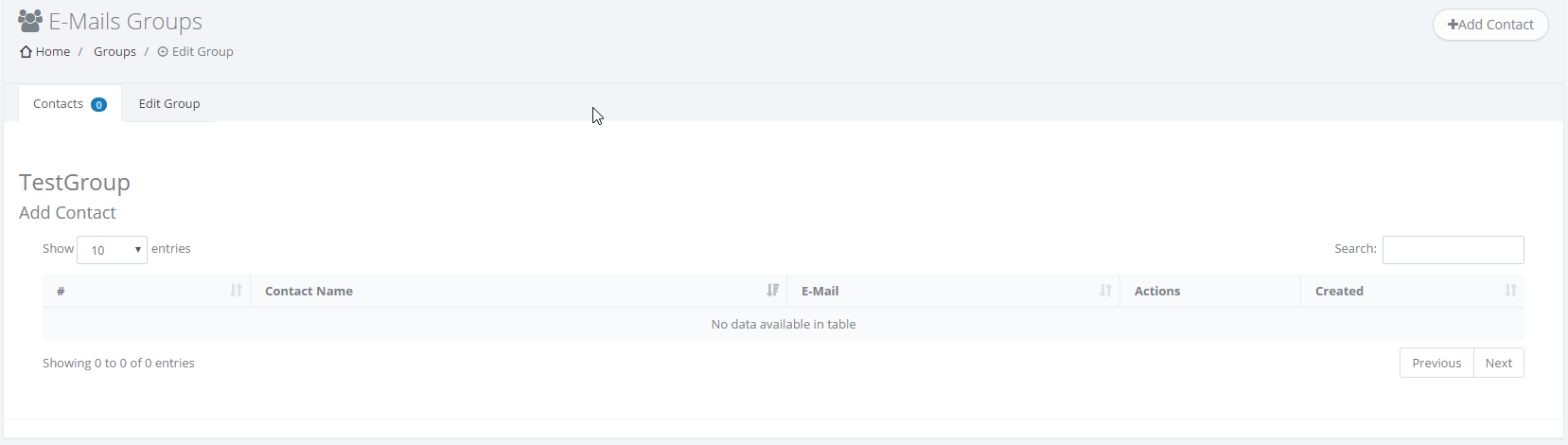
Where you can manage the group itself and Add Contacts to it.