HTTP Trigger
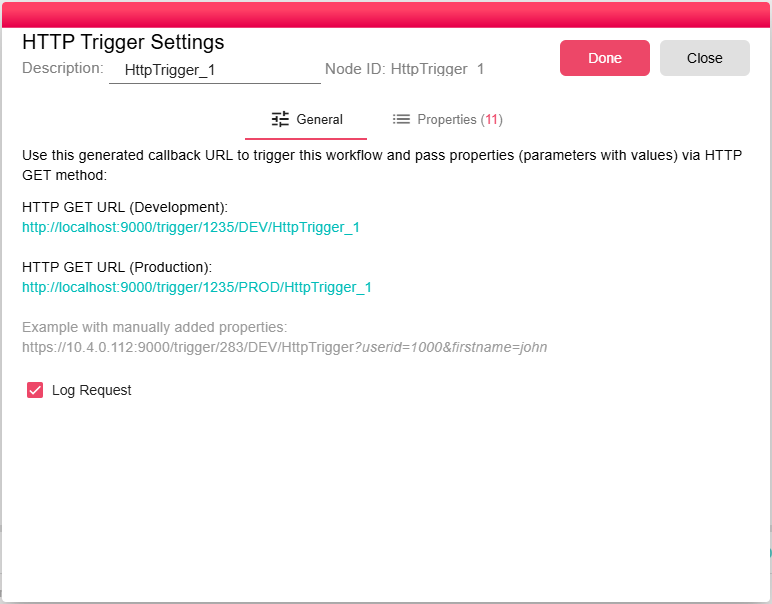
This trigger allows you to run the workflow from an application outside the B2WinSuite, by calling the right url, it will create new iterations in your workflow.
First you will have to build a url in the following structure:
http://<IP>:<Port>/trigger/<WorkflowID>/<Environment>/<HttpTriggerID>
- <IP> - your B2Win Suite server ip
- <Port> - B2Win Suite HTTP port
- <WorkflowID> - the id of the workflow that contains the HTTP trigger, you find the workflow id in the first column of the B2Data Manager workflow list.
- <Environment> - use the value DEV if you want the trigger to create a new iteration for the workflow in the development environment, which means you will need to open the B2Data Builder and you can find the new iteration logs and status there. Or you can use the value PROD, in this case the trigger will create a new iteration for the deployed workflow in the production environment, and then you can check the logs and status in the B2Data Manager, the Deployed to Production tab.
- <HttpTriggerID> - this is the trigger node id that the url should activate
You can also pass some data through the url to be used in the workflow in other nodes. When this data is passed it will be automatically defined as properties in the trigger node.
http://<B2WinSuiteIP>:<Port>/trigger/<WorkflowID>/<Environment>/<HttpTriggerID>?propname1=value1&propname2=value2
propname1 and propname2 are new properties that will be added automatically to the trigger node and can be used in the workflow. value1 and value2 are the properties values
Note that you activate and deactivate this trigger checking the trigger option on or off.